Showing posts with label apps. Show all posts

Monday, August 1, 2022

Note Wars

 I like reviewing Android apps, as I have made perfectly clear.

Two apps I liked that I found very similar, were Notesnook and Upnote.

The first example here is Upnote, with unlimited notes, is free, syncs across multiple platforms, and has a premium that can be either a one-time purchase, or subscription.


This 2nd example is Notesnook, which is private, you can login using your fingerprint, has a free version with limited notebooks and features and only has 5 tags allowed in the free version.

They both are lovely apps but because Notesnook has most of their best features behind a paywall, I chose Upnote. The main thing I love about it, is that you can sync your notes almost immediately between your phone and your laptop.

Sunday, May 8, 2022

Twitter Apps for Android

 As you know from previous entries, I enjoy reviewing apps from the Play Store on Android. Sorry, I do not have an iPhone so this is just Android.

I wanted to do a Twitter app review because it is interesting to see the different UI, features, layouts, etc on these apps. I have two twitter accounts, and enjoy tweeting my beligerance at the world once in a while. I mean, if something is wrong - tweet about it. I decided to keep my reviews to only 5 twitter apps - 4 of which are 3rd party, and the 5th is the official twitter app.

Albatross

Albatross has a rather clunky interface. This is the 2nd worst UI that I found out of these 5, because it looks like it was made in 2011 or something, and that they never updated it since then. It is cool, though, that you can change your accent colors, and it has a fingerprint lock. The Play store entry indicates the developer is always working hard on making the app great. 3 Stars.


Fenix 2

The interface is kinda basic, a little boring. Ugly UI. But you can change the font, which is cool. I was unable to change to dark mode, however. It may have just been a glitch. But no one wants a glitchy app. It has an interesting type of "conversation view" where you can see all the comments under a tweet, just by clicking onto that tweet. This allows you to see who said what, and when. 3 Stars


Official Twiter App

It seems like eventually everyone migrates back to the official app for some reason. Some of these 3rd party apps don't have the capability to send/receive DM's, and there may be other features you can only get with the official app. Now that Elon Musk has bought twitter, maybe we can see some improvements. Hopefully it's not going to be the other way around... I mean, he could probably afford to remove the intrusive ads right? 4 Stars


Harpy (free version)

Harpy has a very unique and beautiful UI. The free version gives you 3 really nice looking themes to choose from. Paid gives you more. There is no DM capability yet, and you can't use an @mention. I was told you used to be able to @ people but the capability is broken. So even though this twitter lacks a lot of features, it is currently in a Beta release for the pro version, and will likely include these things in a future update. Therefore, I give it 4 Stars.


Owly

This one is my favorite of the 3rd party apps. It has a very nice, clean UI that uses Material Design, and is easy to use/figure out. Pro version is just $2.99 one time fee which is so much better than having to pay for a subscription. As a result, I used some Google opinion rewards from surveys, to purchase the full version. it gives you themes and colors, as well as some other decent features that you may not find in some others. 5 Stars


In conclusion, I highly recommend Owly if you do not like using the official app. The official app is the best one for nearly every feature that is possible with Twiter, except for themes/colors. You're stuck with the UI of twitter's official app which means "suggested" tweets/users, and ads (if you dont have an ad blocker).. Fenix2 and Albatross were ok but nothing truly special. Navigation on these 2 were a little cumbrous. But you can't beat the UI of Harpy. When Harpy is able to offer more features, I feel like it will be the best one. I am unsure at this time, as to when they will update it. 


Sunday, January 23, 2022

Android App Reviews: Mood Trackers

 So, since I have bipolar disorder it seems only appropriate that I review some mood tracker apps and see how they compare. I have an obsession with finding the best apps for things, so this ought to be fun.

First, we will start with the obvious one.

Daylio: This is probably the most popular mood app. But not only does it track your mood, it tracks your habits, activities, goals, let's you add text and a picture, and has a lot of stats and interesting insights into your moods. It can help determine patterns based on your mood + activities. This app pretty much has everything you need in the free version, but the paid version (subscription) gives you extra features you might like, such as No ads, auto-backup, unlimited goals, export your entries, etc. I have used this app for years as my main tracker. 


Bearable: This one has so many things to track it actually became overwhelming, however it is fortunate you can change your home screen to only show you certain things that you want to track. It lets you rate your mood many times throughout the day, mark your symptoms, rate energy levels, productivity, social live, and even, yes, your bowel movements. This is the most comprehensive app you can get for mood tracking. The user interface is very pleasing to use and look at. I have used this app for a while in the past but then I found I didn't have time to track all the things that I wanted to, and didn't want any inconsistencies in my reporting. But overall a "beary" good app. See what I did there?


Pixels: This app shows your stats in colored pixels. You can explore the pixels using score, tags, text. You can therefore find patterns in your moods. You can change the colors of your pixels. The opening screen is a plea for a cup of coffee (a donation) but don't let that confuse you, you can still access the app by the icons on the bottom. 


Moodflow: This app has a beautiful interface as well. You can track your mood and activities, and it has a calendar view that will show you your patterns. You can find personal insights such as relationships, and "correlations" with social interactions. This app gives you a lot of information but I didn't find it difficult to find time to track. You can lock it with a PIN too, in case you need privacy. I like this app, I feel it is very well done. 


eMoods: This one says it is for Bipolar, but I bet you could use it for any mental health purposes. You can choose your amount of sleep, your moods and extremes, anxiety, map your psychosis, and register if you had talk therapy in that day. There is a helpful calendar view, and a whole shit ton of graphs and charts to show you your patterns. This one would be most helpful for you to share with your doctor, I would think. In terms of UI, it is ok nothing special. Not a complicated app by any means, but helpful.


 The winner is a tie! Daylio and Moodflow were the best ones out of these 5 that were sampled. Give them a try and see how they work for you!


I also use one on my Android phone called EvenMind which is a simple graph/scale that you drag to indicate your mood and energy. It however, don't seem to exist on the Playstore anymore, and I haven't had any updates to it in about a year so I guess it doesn't exist.

Saturday, January 22, 2022

Android Note Taking Apps

 I enjoy doing mini reviews and I enjoy android apps. So why not combine the two? Here is part one of my note taking app reviews. At the end of the series I will dub a winner. Please note not all images are MY screenshots.

- Joplin : Constantly on Reddit I am seeing recommendations for this app. It has a desktop and mobile version and there's a web clipper on the desktop version. The app allows you to attach photos and files, and tag your notes. The interface was a bit too simple for me. It needs more "pizazz". I tried to change the theme in settings, but nothing happened. This app has a lot of features and settings, not all of them were explored.


- Obsidian: Something about vaults? I... I don't know. This app was too weird.

Bundled Notes: Ok I have the most to say about this one. The intro splash screen is something to behold. What a fantastic user interface. Loads of features like tasks, lists, kanban boards, idea boards, etc. Notebooks are sorted into "bundles" and you can add attachments like photos in them. You can use tags and rich text. You can also choose the style and layout of each bundle. You can also use templates. You can bold and italicize notes and add pictures. Adding a photo attached it to the bottom but didn't embed it into the body of the note. It appears to have a 150mb storage limit for the free version which is kind of small. I couldn't figure out how to change the color of my notes, they were all orange. Overall I really liked this app. It was a different way to do notes, but not difficult to learn at all. Unlike Obsidian which I just started at for a good 30 seconds before uninstalling. Bundled notes has a good UI. It doesn't have password protection on any notes though which is a big important feature for me. There is also a 6 bundle limit on the free version and sadly, it's a dreaded subscription model for premium.


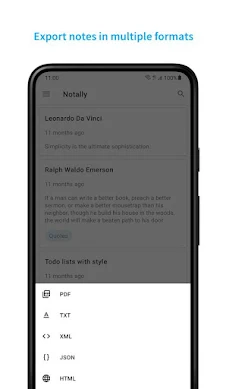
Notally: Very simple. The UI is very rudimentary and there weren't many features other than archiving and tagging. No text formatting or inserting photos or files. I was not impressed.


Notesnook: This one says it's a 100% encrypted end to end app. You can sync to unlimited devices, add images, videos, tables, and edit markdown. I'm still not too sure what markdown is or why that's important. Tags and colors help you organize your notes. Signing up makes you enter into a free 7 day trial with all of the full features. Inserting a picture was easy. You can pin notes and archive notes. There are other features but no password lock on the notes. I like it but it's missing that important feature, for me.


Notion: This app makes you login with Google or Apple which I don't like. You can choose a collaborative experience or just for yourself. You can download Notion for Windows, and sync, too. It has a task list. The interface overall is a little clunky. I couldn't figure out rich text editing. Doesn't seem to be available, correct me if I am wrong. I like this app but it's either missing some important features or it's hard to find them. I couldn't find a password lock either.


Standard Notes: Pretty standard. I mean, a very, very basic notes app. Not feature-rich. You can pin note but that's about it. I wasn't impressed. 


D Notes: A good alternative if you like the Google Keep aesthetic. It has the most features that I like and need. Categories/tags, pin to notifications, favorite notes, add files, lock private notes with a pin. But there's no way to format the text. You CAN change the height but no rich text editing right now. That is really the only feature I find to be missing from D Notes. I don't need syncing to my computer but it would be a nice feature to have.


Nimbus Note:  You can sync across devices and it has nice widgets. You can embed video and photos, as well as pdf files. I didn't see how to edit text like bold or italicize though. Looks like there are extra features in the paid version. I was not as impressed at this app like I thought I would be.


Simpan: A good looking app. I've used it long ago, as my go-to notes app. It has password lock, as well as you can save your passwords securely which is neat. It can do notifications and backup your data. The UX is easy to use and understand. 


Bublup: Now this app isn't specifically for notes but it has note-taking abilities, as well as many other things. You can save things from the internet, recipes, whatever you need.  It's like a bulletin board or Pinterest type of thing. I enjoy using this app for many things, not just notes or important things to save, such as screenshots. 


The winner/personal favorite out of all of these apps was D Notes, with Bundled notes a close 2nd. Check these out if you need a good notes app.


Monday, January 17, 2022

How Hard is it To Do?

 It's very hard to do. That is - find a To-Do Task app that has all the features I want and need. I have scoured the Google Playstore looking for the right app. The features I need are: Ability to put both habits and tasks, have a pomodoro timer, notifications in my notification panel AND pop up with a sound, and most importantly, ability to snooze the item for any length I want or need.

I am currently giving Tick Tick a chance, as well as Microsoft's To Do, as well as Loop Habit Tracker and HabitNow. 

Habit now seems the best but it is extremely limited unless you pay for it which is only $5.99 and I earn google rewards for the playstore so that one might be do-able. But Tick Tick seems promising. I like the simplicity of Microsoft though, so time will tell.


I am going to give an update when I decide which one is going to work best for me.


UPDATE: 1/19

I chose Tick Tick. It pops up with a reminder at the bottom of my screen at the time I planned for, and I can complete the task, snooze it, or dismiss it. I can snooze for a custom time or pre-determined times that it comes up with. The pomodoro timer was cool, except that it made my watch buzz every single second as the time counted down, so I had to fix that. 

The others just weren't as feature rich without having to pay (Except for Microsoft's To Do app) . So the winner is Tick Tick. 

You can even sync it cross-platform if that is something that you need. And no I don't get paid to do app reviews. I simply enjoy doing them. 


My 2025 in Review

This is my 2025 in review. I couldn't figure out what to say, really, because I have a terrible memory and I am sure I'd forget a lo...